
Pending Registration
The list of families who have registered for the camp, but yet to be processed by the Director will fall under this status.
To process the Pending Camp / Instructional Classes Registration,
- Click Process Camp / Instructional Classes Registration in the Main Menu Page.
- Chose the relevant camp / instructional classes from the Select Camp / Instructional Classes list and 'Pending Registration' from the View list. The Family Registrations Management Page will be displayed with the list families in pending registration status.
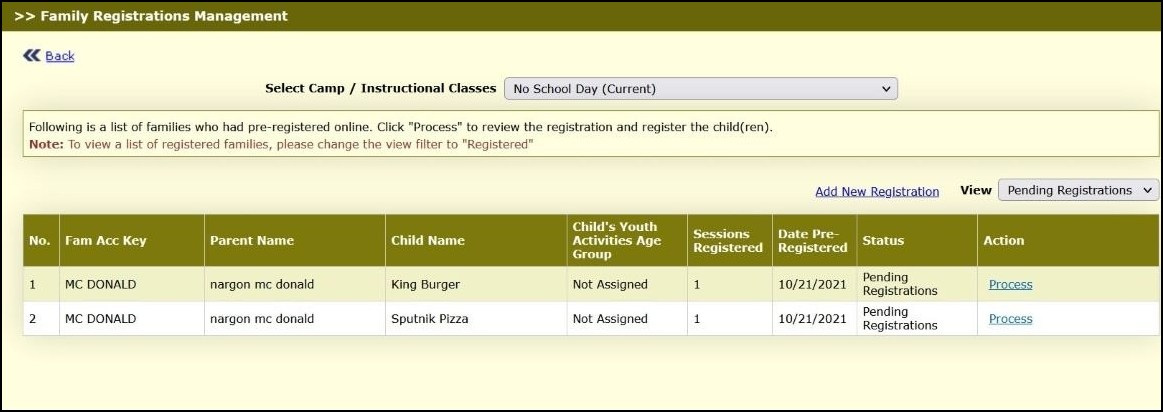
Family Registrations Management Page.
- Click Process to register the camp for the children. The Edit Parent-Child Information Page 1 will be displayed:
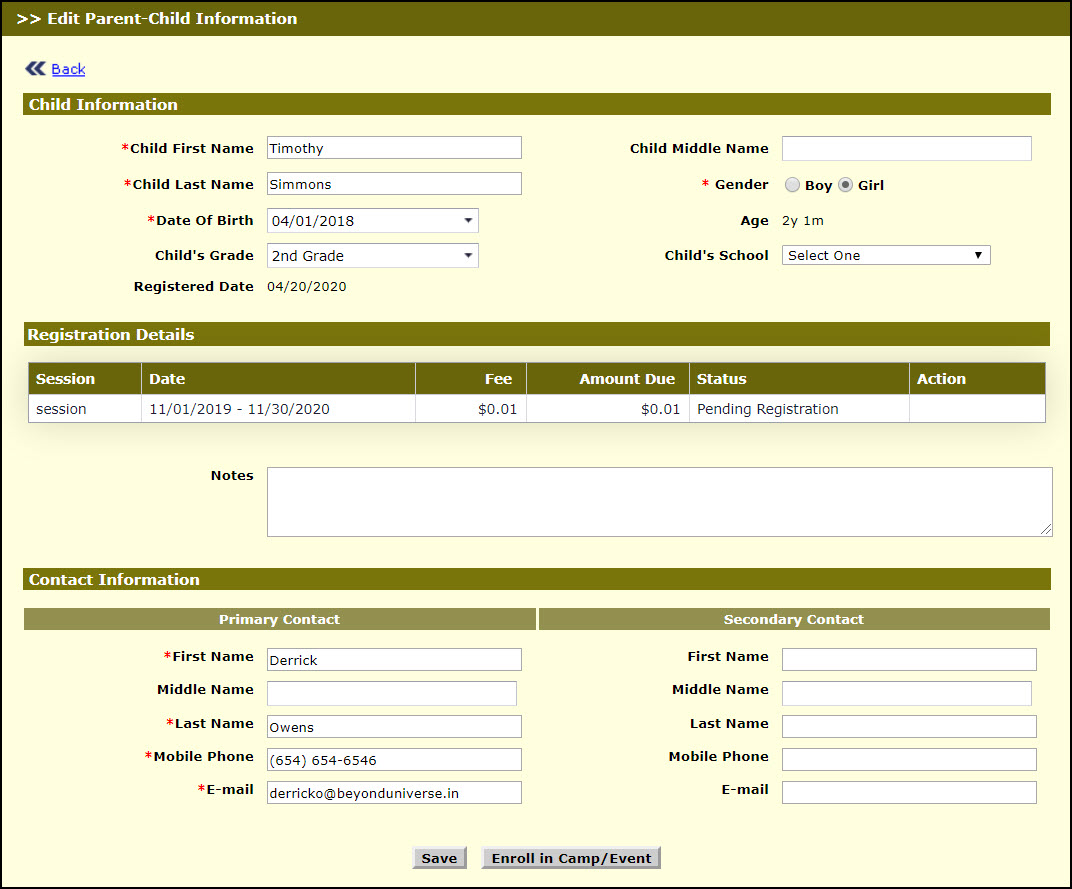
Edit Parent- Child Information Page 1
- Make necessary changes (if needed) to the details.
- Enter the notes if any in Notes.
- Click Save to save the details and success message will be displayed for the record saved successfully. Click Ok, Family Registrations Management Page will be displayed.
- Click Enroll in Camp / Instructional Classes , to register the child for camp and success message will be displayed for the camp registered.